


Step 6: View Website
4-step open source tutorial to easily build your online resume and market yourself
In your web browser, go to your website's GitHub repository.
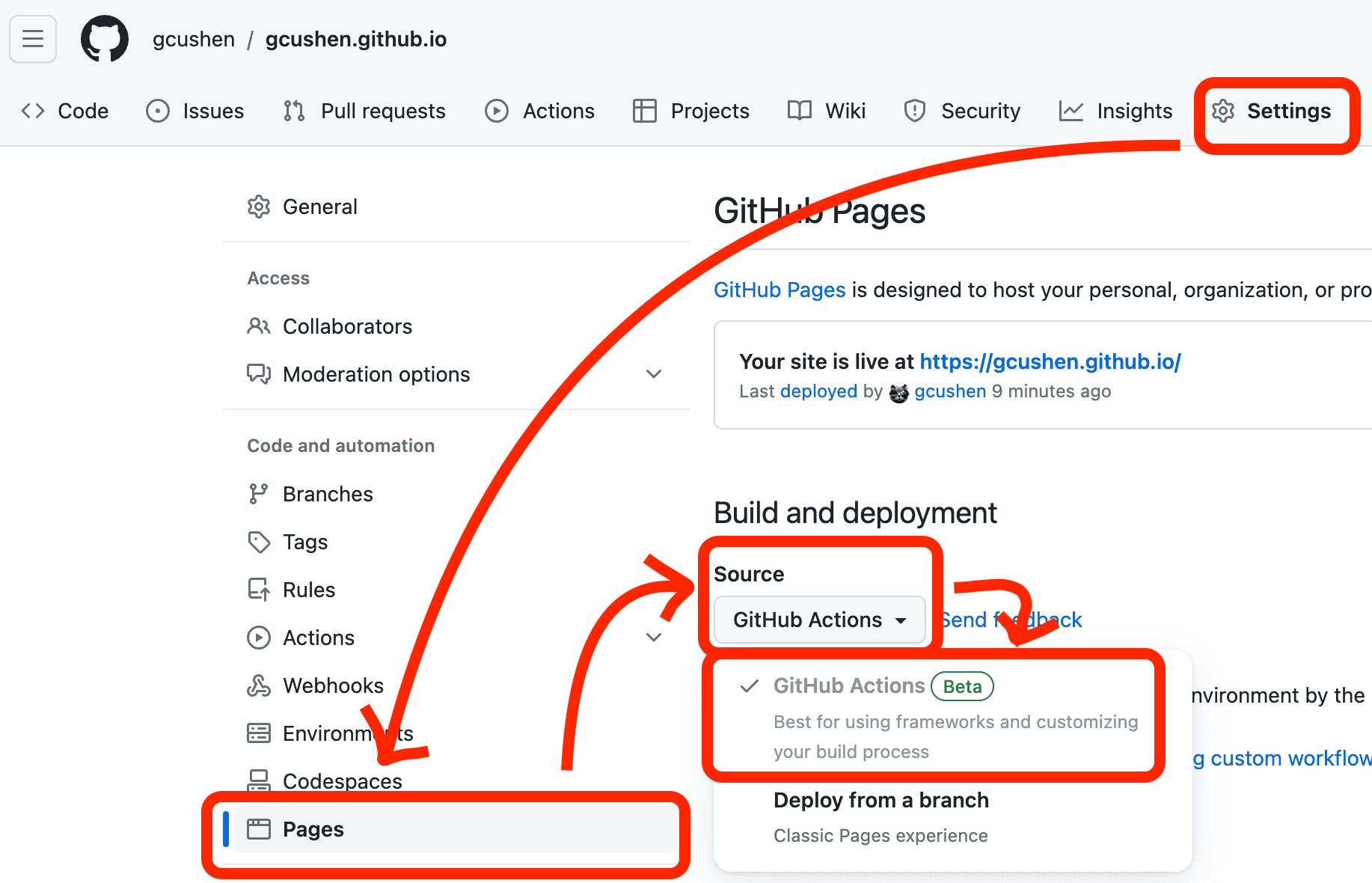
Tell GitHub that you want to use GitHub Pages to host your website by clicking Settings > Pages > Source and then choosing GitHub Actions.
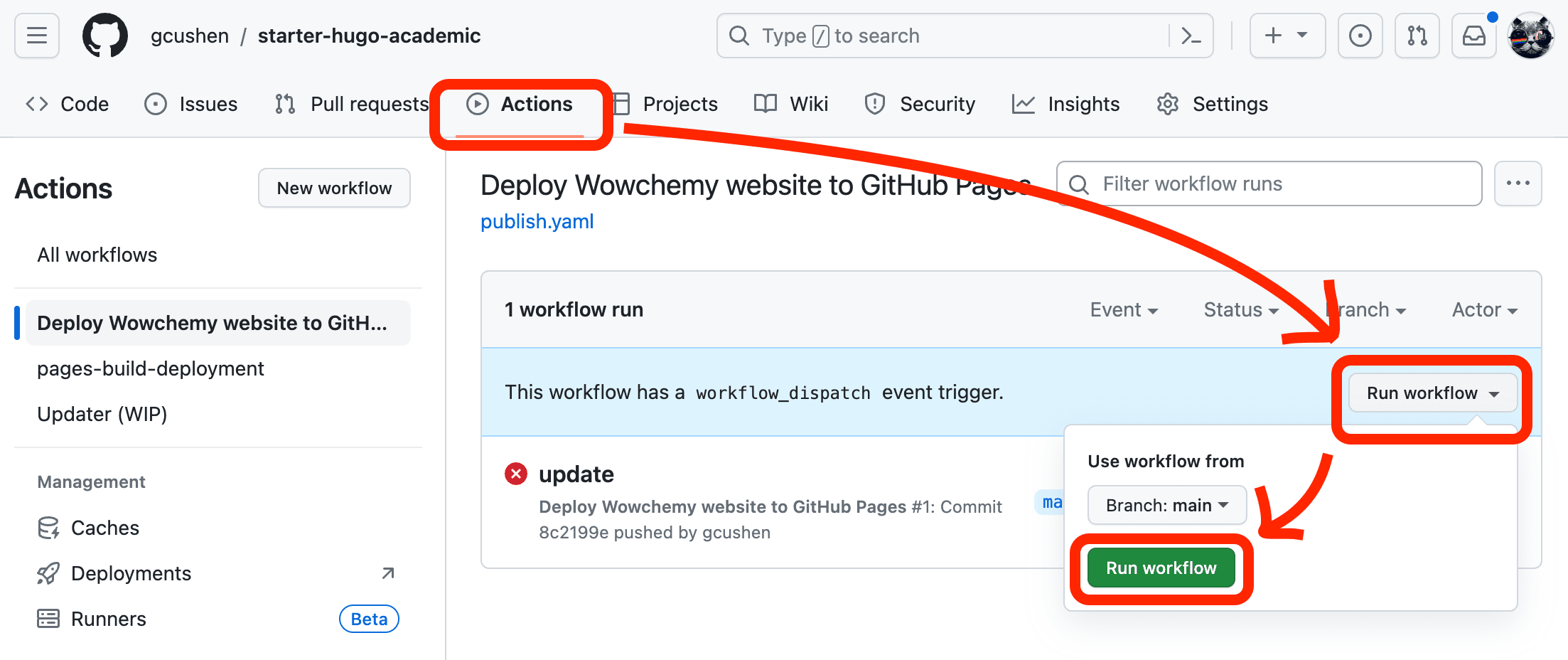
Now head to Actions > Deploy Website > Run workflow and click the Run workflow button to publish the site with GitHub Pages hosting:
GitHub will now build your website - this can take a minute or two.
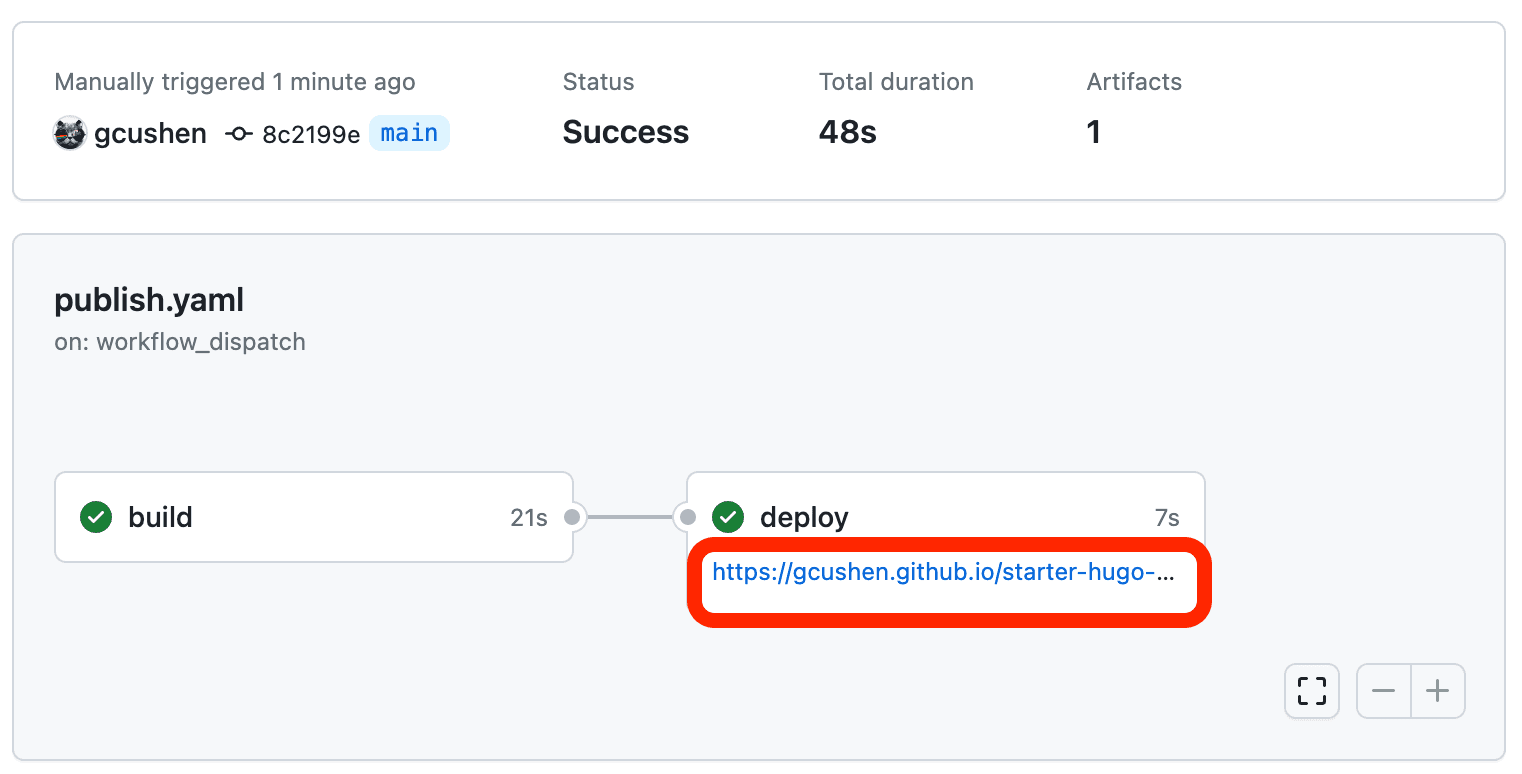
Once GitHub has built the website, a green tick should appear on the Actions page.
Open your website by clicking the URL underneath deploy:
Support the open source movement behind this free template
Go to our GitHub page and click Star:

Congratulations on publishing your new website and supporting the open source movement 🎉
Now, check out the guides to customizing your site 🪄
Help us improve
We ask you, humbly, to support this open source movement
We'll get straight to the point: Today we ask you to defend Ownable Builder's open source independence 🐧
We're an open source movement that depends on your support to stay online and thriving, but 99.9% of our creators don't give; they simply look the other way. If everyone who publishes a site with Ownable Builder supported just a little, we could keep Ownable Builder thriving for years to come. Becoming a sponsor on GitHub for the price of a cup of coffee is all we ask ☕️
Ownable Builder is for empowering content creators, academics, and educators. The heart and soul of Ownable Builder is a community of people working to bring you an easy, all-in-one website framework along with templates, and a CMS 👥
We know that most people will ignore this message. But if Ownable Builder is useful to you, please consider becoming a sponsor on GitHub to protect and sustain Ownable Builder ❤️
Was this page helpful?
From the makers of
© 2026 Lore Labs.