Featured
FAQ
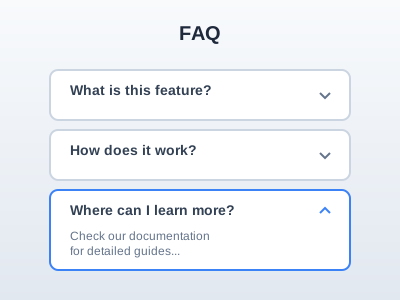
Answer last-minute objections in a clean accordion — place it before the final CTA where it lifts conversion.
faqquestionshelp
12 optionsMIT



Win the comparison: a side-by-side feature matrix against competitors with your column highlighted and a CTA.
Add it to any Hugo page's sections list — no build step.
Quick start
Drop this into your page's front matter, under the sections list. Edit the values, and HugoBlox renders the block — no build step.
- block: comparison-table
  content:
    subtitle: How we compare
    title: Why teams switch to Hugo Blox
    text: We picked the categories that matter to teams shipping today.
    competitors:
      - name: Hugo Blox
        tagline: Open-source page builder
        highlight: true
        badge: Recommended
      - name: WordPress
        tagline: Self-hosted CMS
      - name: Squarespace
        tagline: Hosted website builder
      - name: Webflow
        tagline: Visual web builder
    rows:
      - feature: Performance
        category: true
      - feature: Build time
        note: 100 pages, cold cache
        values:
          - <3s
          - 60s+
          - —
          - 20s+
      - feature: Lighthouse score
        values:
          - "100"
          - "70"
          - "90"
          - "95"
      - feature: Cost & ownership
        category: true
      - feature: Free tier
        values:
          - true
          - true
          - false
          - false
      - feature: Self-hosted
        values:
          - true
          - true
          - false
          - false
      - feature: Source code access
        values:
          - true
          - true
          - false
          - false
        highlight: true
      - feature: Monthly cost
        values:
          - Free
          - $5+ hosting
          - $23/mo
          - $29/mo
      - feature: Developer experience
        category: true
      - feature: Git-based content
        values:
          - true
          - false
          - false
          - false
      - feature: AI site builder
        values:
          - true
          - false
          - false
          - partial
      - feature: Custom code
        values:
          - true
          - true
          - limited
          - limited
    cta:
      text: Start free
      url: https://hugoblox.com/templates/
      icon: hero/arrow-right
Reference
Every option the Comparison Table block accepts, generated from its schema.
Properties set under the block's content key.
| Property | Type | Default | Description |
|---|---|---|---|
subtitle | string | — | Optional eyebrow label rendered in small caps above the title. E.g. 'How we compare', 'Why us'. |
title | string | — | Section heading. Frames the comparison. E.g. 'How we compare', 'Why teams switch to {product}'. |
text | string | — | Optional subtitle beneath the title — sets up the comparison. |
competitorsrequired | object[] | — | The columns of the table — one per product being compared. Mark exactly one as `highlight: true` to show it as your product. 3–4 competitors works best; more compresses readability on desktop. |
competitors[].namerequired | string | — | Product or company name. Shown as the column header. |
competitors[].tagline | string | — | Optional one-line description shown under the competitor name. E.g. 'Self-hosted CMS', 'Visual web builder'. |
competitors[].highlight | boolean | false | Set to true on your product. Highlights the column, applies brand colour, and surfaces the CTA. Exactly one competitor should have this set. |
competitors[].badge | string | — | Optional pill badge above the competitor name. E.g. 'Recommended', 'Best value', 'Most popular'. |
rowsrequired | object[] | — | Feature rows. Each row has a feature label and a `values` array — one entry per competitor in the same order as the `competitors` array. Use 6–14 rows for best results. Group with category rows (`category: true`) for tables of 10+ features. |
rows[].featurerequired | string | — | Feature name shown in the leftmost column. |
rows[].note | string | — | Optional clarifying note shown under the feature label in smaller text. |
rows[].values | object[] | — | Cell values, one per competitor in order. Accepts: boolean (true→green check, false→gray cross), string ('yes'/'no'/'partial'/'—' map to icons; any other string renders as text e.g. '$29/mo', '<3s', 'Unlimited'), or object {value, note, emphasis} for finer control. |
rows[].category | boolean | false | Set to true to render this row as a section header (uppercase, no values). Use to group features into sections like 'Performance', 'Pricing', 'Support'. |
rows[].highlight | boolean | false | Tints this row's background — use to emphasise key differentiators (1–2 rows max). |
cta | object | — | Call-to-action button rendered in the highlighted column footer. |
cta.textrequired | string | — | CTA label |
cta.urlrequired | string | — | Destination URL (relative or absolute) |
cta.icon | string | — | Optional icon shown after the label. E.g. 'arrow-right', 'hero/arrow-right'. |
Properties set under the block's design key — shared background, spacing, and color settings apply on top.
| Property | Type | Default | Description |
|---|---|---|---|
row_striping | boolean | false | Apply subtle zebra-striping to data rows for readability. Recommended for tables with 10+ rows; unnecessary for shorter tables. Category headers and explicitly highlighted rows are excluded from striping. |
Frequently asked
Ready to build with the Comparison Table block?
More blocks like this
Answer last-minute objections in a clean accordion — place it before the final CTA where it lifts conversion.
Show what your product does in a scannable grid of icons, names, and benefit-led descriptions.
Numbered process steps in vertical, horizontal, or timeline layouts — for 'how it works' and onboarding.

A high-contrast call-to-action card — bold headline, supporting line, and a button to drive the next step.