Featured
Comparison Table
Win the comparison: a side-by-side feature matrix against competitors with your column highlighted and a CTA.
comparisoncompetitorsdifferentiation
18 optionsMIT



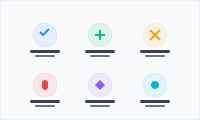
Show what your product does in a scannable grid of icons, names, and benefit-led descriptions.
Add it to any Hugo page's sections list — no build step.
Quick start
Drop this into your page's front matter, under the sections list. Edit the values, and HugoBlox renders the block — no build step.
- block: features
  content:
    title: Everything you need
    text: From data to deployment, one stack.
    items:
      - name: Tailwind 4
        description: Pre-configured tokens, gradients, and typography.
        icon: hero/swatch
      - name: Preact blocks
        description: Composable UI shipped with sensible defaults.
        icon: hero/puzzle-piece
      - name: Docs-ready
        description: Markdown, data-driven content, and inline shortcodes.
        icon: hero/book-open
Overview
Showcase what makes you special with stunning feature grids
Present your key features, services, or benefits in a clean, organized grid that helps visitors quickly understand your value proposition. The Features block combines beautiful icons with compelling descriptions to create trust and drive engagement.
Visual Clarity: Icons and organized layout help visitors quickly scan and understand your offerings
Professional Credibility: Clean, modern design builds trust and demonstrates attention to detail
Conversion Ready: Well-organized features help visitors make informed decisions faster
Brand Reinforcement: Consistent use of your brand colors creates cohesive visual identity
Ideal for startups, SaaS companies, service providers, and any business that needs to clearly communicate their value proposition to potential customers.
Flexibility
Switch the block's design with these presets — no custom CSS.
layoutLayout mode. 'grid': uniform 3-column responsive grid — best for symmetric capability lists where every feature has equal weight. 'bento': asymmetric layout where the first item becomes a large featured card (with optional image) and remaining items pack around it — best for highlighting one key feature among supporting ones (the 2026 Linear/Vercel/Framer pattern).Reference
Every option the Features block accepts, generated from its schema.
Properties set under the block's content key.
| Property | Type | Default | Description |
|---|---|---|---|
subtitle | string | — | Optional eyebrow label rendered in small caps above the title. E.g. 'Built for scale', 'Why teams choose us'. |
title | string | — | Section title (supports Markdown) |
text | string | — | Section description (supports Markdown) |
itemsrequired | object[] | — | Array of feature items |
items[].namerequired | string | — | Feature name/title (supports Markdown) |
items[].descriptionrequired | string | — | Feature description (supports Markdown) |
items[].icon | string | — | Feature icon. Supports hero/ (Heroicons), brands/ (brand logos), devicon/ (dev tools), or custom packs. Format: 'pack/icon-name' or just 'icon-name' for hero. |
items[].image | string | — | Optional image/screenshot, rendered prominently inside the featured (first) bento card. Filename in assets/media/ or a remote URL. Ignored on small bento cards and in 'grid' layout. |
Properties set under the block's design key — shared background, spacing, and color settings apply on top.
| Property | Type | Default | Description |
|---|---|---|---|
layout | grid | bento | grid | Layout mode. 'grid': uniform 3-column responsive grid — best for symmetric capability lists where every feature has equal weight. 'bento': asymmetric layout where the first item becomes a large featured card (with optional image) and remaining items pack around it — best for highlighting one key feature among supporting ones (the 2026 Linear/Vercel/Framer pattern). |
Compose
Blocks that pair naturally with Features on the same page.
Frequently asked
Ready to build with the Features block?
More blocks like this
Win the comparison: a side-by-side feature matrix against competitors with your column highlighted and a CTA.
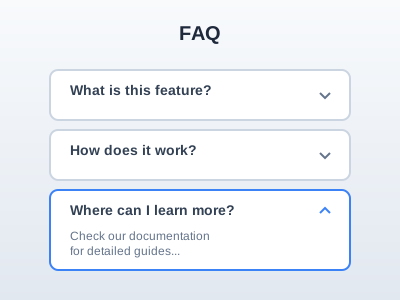
Answer last-minute objections in a clean accordion — place it before the final CTA where it lifts conversion.
Numbered process steps in vertical, horizontal, or timeline layouts — for 'how it works' and onboarding.

A high-contrast call-to-action card — bold headline, supporting line, and a button to drive the next step.