Dev Hero
A dark-mode, developer-focused hero with gradient effects, social links, and call-to-action buttons.
herodeveloperportfolio
24 optionsMIT



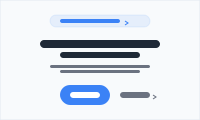
Convert from the first scroll — headline, value prop, dual CTAs, announcement pill, and split-media layouts.
Add it to any Hugo page's sections list — no build step.
Quick start
Drop this into your page's front matter, under the sections list. Edit the values, and HugoBlox renders the block — no build step.
- block: hero
  id: intro
  design:
    no_padding: false
    background:
      color: "#0a0e27"
      gradient:
        type: radial
        start: rgba(124,58,237,0.45)
        end: transparent
        position: 50% -10%
        shape: ellipse
        size: 80% 80%
    css_class: dark
  content:
    eyebrow: The open-source page builder
    announcement:
      badge:
        text: NEW
        color: primary
      text: Hugo Blox v3 is here.
      link:
        text: Read more
        url: /blog/v3
    title: Build your landing page with [Hugo Blox]
    text: Production-grade blocks. Edit in Markdown and YAML. Deploy anywhere — for free.
    primary_action:
      text: Get Started
      url: /get-started/
      icon: rocket-launch
      style: gradient
    secondary_action:
      text: Read the docs
      url: https://docs.hugoblox.com
      icon: book-open
      style: ghost
    trust:
      stars: 5
      text: Loved by **10,000+** developers
Overview
Make an unforgettable first impression
Capture attention and drive action from the moment visitors land on your site with the Hero block - a conversion-optimized centerpiece designed to communicate your value proposition and guide users toward meaningful engagement.
Conversion Psychology: Designed using proven principles that drive user action
Flexible CTA Options: Primary button for main action, secondary link for alternative paths
Announcement Integration: Built-in banner for promotions without cluttering the main message
Professional Polish: Clean, modern design that builds trust and credibility instantly
The Hero block is your digital storefront - make it count with compelling copy, strategic CTAs, and professional design that converts visitors into customers.
Flexibility
Switch the block's design with these presets — no custom CSS.
layoutHero composition. 'centered' (default): classic stacked text with content centred (use when there's no media). 'split-left': text on the left, media on the right (the dominant 2026 SaaS pattern). 'split-right': mirror of split-left. 'stacked': text top, media full-width below — good for wide product screenshots that need horizontal space.sizeVertical size preset. 'compact' (~64-96px padding) for utility/secondary heroes. 'default' (~96-160px) is the modern 2026 baseline. 'tall' (~128-224px) for splashy marketing heroes. 'viewport' fills the screen — content vertically centred (use sparingly). 'none' disables padding entirely (pair with section-level spacing).alignmentHorizontal alignment of hero content. 'center' (default) is the standard centred-stack layout. 'left' aligns title/text/CTAs/trust to the left — pair with split layouts in Phase 3 (text on the left, media on the right).Reference
Every option the Hero block accepts, generated from its schema.
Properties set under the block's content key.
| Property | Type | Default | Description |
|---|---|---|---|
eyebrow | string | — | Optional small label rendered just above the title in primary brand colour, uppercase tracking-wider. Use to set context (e.g. category, version, vertical). |
title | string | — | Main hero title. Wrap any word(s) in `[brackets]` to render them in a primary→secondary gradient (e.g. 'Build your site with [Hugo Blox]'). Also supports markdown bold/italic. |
text | string | — | Hero description text (supports Markdown) |
announcement | object | — | Optional announcement pill above the title. Pair with a `badge` for NEW/UPDATE-style emphasis. |
announcement.textrequired | string | — | Announcement text (supports Markdown) |
announcement.badge | object | — | Optional leading badge inside the pill (e.g. 'NEW', 'BETA'). Renders as a coloured chip before the announcement text. |
announcement.badge.textrequired | string | — | Short badge label, typically uppercase |
announcement.badge.color | primary | green | amber | rose | primary | Badge colour palette |
announcement.link | object | — | Optional announcement link |
announcement.link.textrequired | string | — | Link text |
announcement.link.urlrequired | string | — | Link destination — usually a blog post, changelog page, or external announcement. Same-page anchors (`#<section-id>`) are also valid. |
primary_action | object | — | Primary call-to-action button |
primary_action.urlrequired | string | — | Button destination. Use `#<section-id>` to scroll to a sibling section on the same landing page (its block must declare a matching `id`), `/path/` for an internal page, or a full `https://…` URL for external links. |
primary_action.textrequired | string | — | Button text |
primary_action.icon | string | — | Optional button icon (icon pack format: pack/icon-name) |
primary_action.style | gradient | solid | outline | ghost | text | gradient | Visual style. 'gradient' (default for primary): brand gradient pill with shadow glow. 'solid': solid primary fill pill. 'outline': transparent pill with ring. 'ghost': transparent pill with hover bg. 'text': plain text link with trailing arrow. |
secondary_action | object | — | Secondary call-to-action link |
secondary_action.urlrequired | string | — | Link destination. Same rules as `primary_action.url`: `#<section-id>` for same-page anchors, `/path/` for internal pages, full URL for external. |
secondary_action.textrequired | string | — | Link text |
secondary_action.icon | string | — | Optional icon (icon pack format: pack/icon-name). Replaces the default trailing arrow when secondary uses 'text' style. |
secondary_action.style | gradient | solid | outline | ghost | text | text | Visual style. 'text' (default for secondary): plain link with arrow. 'ghost'/'outline' give the secondary more weight when paired with a 'gradient' primary. |
trust | object | — | Optional trust strip rendered below the CTAs (stars + supporting copy). Use to show ratings, install counts, or notable customers. |
trust.stars | number | — | Number of filled stars (0-5). Whole numbers only render as full stars. |
trust.text | string | — | Supporting trust copy, supports Markdown bold/italic. |
media | object | — | Optional hero media (image or video) — pairs with `design.layout: split-left | split-right | stacked` to render alongside or below the text. Hidden when `layout: centered` (the default). |
media.type | image | video | image | Media type. Images go through Hugo's responsive pipeline (srcset). Videos are embedded directly with the supplied `src`. |
media.srcrequired | string | — | Media path. For images: relative filename (resolved against the page bundle, then `assets/media/`), or a full URL. For videos: any URL the browser can play. |
media.dark_src | string | — | Optional dark-mode variant for images. Renders only when the document is in dark mode. Same path resolution rules as `src`. |
media.alt | string | — | Accessibility text for images. Required for any meaningful image; leave empty for purely decorative media. |
media.poster | string | — | Video poster image URL (shown before play). Ignored for image media. |
media.autoplay | boolean | true | Video only. Autoplay on load (browsers require this with `muted: true`). |
media.loop | boolean | true | Video only. Loop playback. |
media.muted | boolean | true | Video only. Mute audio (required for autoplay in most browsers). |
Properties set under the block's design key — shared background, spacing, and color settings apply on top.
| Property | Type | Default | Description |
|---|---|---|---|
layout | centered | split-left | split-right | stacked | centered | Hero composition. 'centered' (default): classic stacked text with content centred (use when there's no media). 'split-left': text on the left, media on the right (the dominant 2026 SaaS pattern). 'split-right': mirror of split-left. 'stacked': text top, media full-width below — good for wide product screenshots that need horizontal space. |
size | compact | default | tall | viewport | none | default | Vertical size preset. 'compact' (~64-96px padding) for utility/secondary heroes. 'default' (~96-160px) is the modern 2026 baseline. 'tall' (~128-224px) for splashy marketing heroes. 'viewport' fills the screen — content vertically centred (use sparingly). 'none' disables padding entirely (pair with section-level spacing). |
alignment | center | left | center | Horizontal alignment of hero content. 'center' (default) is the standard centred-stack layout. 'left' aligns title/text/CTAs/trust to the left — pair with split layouts in Phase 3 (text on the left, media on the right). |
no_padding | boolean | false | DEPRECATED: use `size: "none"` instead. Kept for backward compatibility — `true` maps to `size: "none"` when `size` is unset. |
Compose
Blocks that pair naturally with Hero on the same page.
Frequently asked
Ready to build with the Hero block?
More blocks like this
A dark-mode, developer-focused hero with gradient effects, social links, and call-to-action buttons.
A hero built around a prominent search box — the front door to docs and knowledge bases.
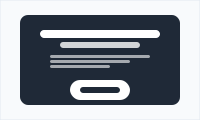
A high-contrast call-to-action card — bold headline, supporting line, and a button to drive the next step.
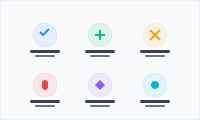
Show what your product does in a scannable grid of icons, names, and benefit-led descriptions.