Logos
A social-proof logo row — partners, customers, sponsors — in grid, carousel, or infinite-marquee layouts.
logossocial-proofpartners
12 optionsMIT



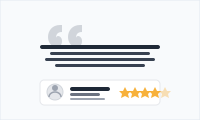
Turn happy customers into social proof — quote cards with avatars, names, and roles.
Add it to any Hugo page's sections list — no build step.
Quick start
Drop this into your page's front matter, under the sections list. Edit the values, and HugoBlox renders the block — no build step.
- block: testimonials
  content:
    title: What partners say
    text: Teams build faster when they start with Hugo Blox.
    items:
      - text: “Hugo Blox let us ship a research microsite in days instead of weeks.”
        name: Dr. Casey Smith
        role: Research Lead, OpenAI
        image: people/casey.jpg
      - text: “Great developer experience and first-class docs. Our students love it.”
        name: Prof. Lee Nguyen
        role: MIT CSAIL
        image: people/lee.png
Overview
Transform customer voices into powerful social proof
Build unshakeable trust and credibility with the Testimonials block - a sophisticated component that presents authentic customer feedback in a professional, visually appealing format that converts skeptical visitors into confident buyers.
Social Proof Power: Authentic customer voices carry more weight than any marketing message
Visual Credibility: Photos and names make testimonials feel genuine and trustworthy
Professional Presentation: Elegant design elevates customer feedback to marketing gold
Conversion Catalyst: Well-placed testimonials can dramatically increase conversion rates
Transform your happiest customers into your best marketing team with testimonials that build trust, reduce friction, and drive conversions.
Reference
Every option the Testimonials block accepts, generated from its schema.
Properties set under the block's content key.
| Property | Type | Default | Description |
|---|---|---|---|
title | string | — | Section title (supports Markdown) |
text | string | — | Section description (supports Markdown) |
itemsrequired | object[] | — | Testimonial entries |
items[].textrequired | string | — | Quoted testimonial text (supports Markdown) |
items[].namerequired | string | — | Person's name |
items[].role | string | — | Role or organization |
items[].image | string | — | Avatar filename in assets/media/. Image is processed to 96x96 (displayed at 48x48 for retina). |
Frequently asked
Ready to build with the Testimonials block?
More blocks like this
A social-proof logo row — partners, customers, sponsors — in grid, carousel, or infinite-marquee layouts.
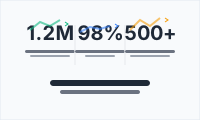
Make traction tangible with animated metric counters — users, revenue, uptime, GitHub stars.
Introduce your team, lab, or studio with grouped, filterable member profiles.

A high-contrast call-to-action card — bold headline, supporting line, and a button to drive the next step.