Logos
A social-proof logo row — partners, customers, sponsors — in grid, carousel, or infinite-marquee layouts.
logossocial-proofpartners
12 optionsMIT



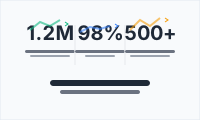
Make traction tangible with animated metric counters — users, revenue, uptime, GitHub stars.
Add it to any Hugo page's sections list — no build step.
Quick start
Drop this into your page's front matter, under the sections list. Edit the values, and HugoBlox renders the block — no build step.
- block: stats
  content:
    title: Impact metrics
    text: Momentum across research and product work.
    items:
      - statistic: 120+
        description: peer-reviewed papers
        icon: hero/document-text
      - statistic: 5M
        description: dataset downloads
        sub_metric: across three releases
      - statistic: 42
        description: team members
  design:
    layout: cards
Overview
Display impressive statistics with modern animations, icons, and engaging visual effects. Perfect for showcasing lab achievements, research metrics, and organizational highlights.
Modern card-based design featuring:
Single card with divided sections:
Clean, icon-centric design:
sections:
  - block: stats
    content:
      title: Impact by the Numbers
      text: Driving scientific discovery through measurable achievements
      items:
        - statistic: "150+"
          description: Publications in top-tier journals
          sub_metric: Nature, Science, Cell, PNAS
          icon: hero/document-text

        - statistic: "25"
          description: Brilliant researchers and scientists
          sub_metric: From 12 countries worldwide
          icon: hero/user-group

        - statistic: "$12M"
          description: Active research funding
          sub_metric: NSF, NIH, DOE grants
          icon: hero/currency-dollar

        - statistic: "8"
          description: Breakthrough discoveries
          sub_metric: Patent applications filed
          icon: hero/light-bulb
    design:
      layout: cards
      css_class: "bg-gradient-to-b from-primary-50 to-white dark:from-primary-900/20 dark:to-gray-800"
content:
  items:
    - statistic: "2,500"
      description: Students enrolled
      icon: hero/academic-cap
    - statistic: "95%"
      description: Graduation rate
      icon: hero/chart-bar
    - statistic: "40+"
      description: Countries represented
      icon: hero/globe-alt
design:
  layout: compact
content:
  items:
    - statistic: "$2.5M"
      description: Funding raised
      icon: hero/banknotes
    - statistic: "10K+"
      description: Active users
      icon: hero/users
    - statistic: "98.5%"
      description: Uptime reliability
      icon: hero/chart-line
design:
  layout: minimal
statistic: Number or value (required)description: What the number represents (required)icon: Icon identifier (optional)sub_metric: Additional context (optional)cards: Individual cards (default)compact: Single divided cardminimal: Clean typography focusPublications/Research:
hero/document-text - Publicationshero/beaker - Research projectshero/light-bulb - Discoveries/innovationshero/trophy - Awards/recognitionPeople/Team:
hero/user-group - Team membershero/academic-cap - Students/graduateshero/users - Community/usershero/heart - Satisfaction ratingsFinancial/Business:
hero/currency-dollar - Funding/revenuehero/banknotes - Investmentshero/chart-bar - Growth metricshero/building-office - LocationsTechnology/Digital:
hero/cpu-chip - Computing powerhero/globe-alt - Global reachhero/chart-line - Performance metricshero/server - InfrastructureMinimal JavaScript for:
prefers-reduced-motionOverride animation timing:
.stats-item {
  transition-duration: 1s;
  transition-delay: 0.2s;
}
For complex number formatting:
statistic: "99.9%"  # Will animate 0 → 99
statistic: "$2.5M"  # Will animate 0 → 2.5
statistic: "1st"    # Will animate 0 → 1
The enhanced Stats block creates visual impact while maintaining professional credibility - essential for research lab websites targeting academic and industry audiences.
Flexibility
Switch the block's design with these presets — no custom CSS.
layoutDisplay layout styleReference
Every option the Stats block accepts, generated from its schema.
Properties set under the block's content key.
| Property | Type | Default | Description |
|---|---|---|---|
title | string | — | Section title (supports Markdown) |
text | string | — | Section description (supports Markdown) |
itemsrequired | object[] | — | Array of statistics to display |
items[].statisticrequired | string | number | — | The statistic value/number. Can include formatting like '120+', '5M', or '$3.2M'. Animated counter extracts numeric portion. |
items[].descriptionrequired | string | — | Description of the statistic (supports Markdown) |
items[].icon | string | — | Icon identifier (e.g., 'hero/chart-bar', 'hero/user-group') |
items[].sub_metric | string | — | Additional context or sub-metric (supports Markdown) |
Properties set under the block's design key — shared background, spacing, and color settings apply on top.
| Property | Type | Default | Description |
|---|---|---|---|
layout | cards | compact | minimal | cards | Display layout style |
numbers_gradient | boolean | false | Render the stat numbers with a brand gradient (primary→secondary) via bg-clip-text. The 2026 dominant pattern for stat blocks (Linear, Vercel, Framer). Works across all layouts. |
Frequently asked
Ready to build with the Stats block?
More blocks like this
A social-proof logo row — partners, customers, sponsors — in grid, carousel, or infinite-marquee layouts.
Introduce your team, lab, or studio with grouped, filterable member profiles.

Turn happy customers into social proof — quote cards with avatars, names, and roles.

Convert from the first scroll — headline, value prop, dual CTAs, announcement pill, and split-media layouts.