Knowledge Categories
A grid of knowledge-base category cards that routes visitors to the right docs fast.
knowledge-basehelp-centercategories
15 optionsMIT



Showcase focus areas, services, or research themes as rich cards with optional metrics and CTAs.
Add it to any Hugo page's sections list — no build step.
Quick start
Drop this into your page's front matter, under the sections list. Edit the values, and HugoBlox renders the block — no build step.
- block: research-areas
  design:
    layout: cards
  content:
    title: Research areas
    subtitle: Where we invest time and curiosity
    text: From alignment and evals to deployable agents.
    items:
      - name: Alignment & Safety
        description: Mechanistic interpretability, agent evaluations, and scalable oversight.
        gradient: from-primary-400 to-secondary-400
        icon: hero/shield-check
        status: active
        topics:
          - evals
          - interpretability
          - tooling
        team_size: "6"
        publications: "12"
        funding: $3.2M
        cta:
          text: See roadmap
          url: /research/alignment/
      - name: Multimodal systems
        description: Unified stacks for text, image, and audio models.
        image: research/multimodal.jpg
        status: emerging
    cta:
      text: All research areas
      url: /research/
Overview
Display your research focus areas with stunning visuals, metrics, and interactive layouts. Perfect for research labs, academic groups, and R&D departments to showcase their areas of expertise.
Modern card-based design with:
Unique hexagonal grid for visual impact:
Chronological or priority-based display:
sections:
  - block: research-areas
    content:
      title: Research Focus Areas
      subtitle: Advancing Science Through Innovation
      text: Our lab conducts cutting-edge research across multiple domains
      items:
        - name: Computational Biology
          description: Developing algorithms for genomic analysis and protein structure prediction
          emoji: 🧬
          gradient: from-green-400 to-blue-500
          status: active
          topics:
            - Genomics
            - Proteomics
            - Bioinformatics
            - Systems Biology
          team_size: 12 researchers
          publications: 45 papers
          funding: $2.5M
          cta:
            text: Learn More
            url: /research/computational-biology

        - name: Machine Learning
          description: Advancing deep learning methods for scientific discovery
          emoji: 🤖
          gradient: from-purple-400 to-pink-500
          status: active
          topics:
            - Deep Learning
            - Neural Networks
            - Computer Vision
            - NLP
          team_size: 8 researchers
          publications: 32 papers
          funding: $1.8M

        - name: Materials Science
          description: Designing novel materials through computational modeling
          emoji: 🔬
          gradient: from-orange-400 to-red-500
          status: emerging
          topics:
            - Nanomaterials
            - Quantum Materials
            - Polymers
          team_size: 6 researchers
          publications: 28 papers
          funding: $1.2M
    design:
      layout: cards
items:
  - name: Artificial Intelligence
    description: Building next-generation AI systems
    icon: hero/cpu-chip
    gradient: from-blue-500 to-indigo-600
    # ... rest of configuration
items:
  - name: Climate Science
    description: Understanding and mitigating climate change
    image: research/climate-hero.jpg
    status: active
    # ... rest of configuration
sections:
  - block: research-areas
    content:
      title: Core Research Pillars
      items:
        - name: AI & ML
          description: Artificial intelligence research
          icon: hero/cpu-chip
          gradient: from-blue-400 to-purple-600
        - name: Quantum
          description: Quantum computing systems
          icon: hero/sparkles
          gradient: from-green-400 to-teal-600
        # ... more items
    design:
      layout: hexagon
sections:
  - block: research-areas
    content:
      title: Research Evolution
      subtitle: Our Journey of Discovery
      items:
        - name: Foundation (2015-2018)
          description: Established core ML research
          icon: hero/academic-cap
        - name: Expansion (2018-2021)
          description: Added biomedical applications
          icon: hero/beaker
        - name: Current Focus (2021-Present)
          description: AI for scientific discovery
          icon: hero/sparkles
    design:
      layout: timeline
name: Area name (required)description: Area description (required)icon: Icon identifier (e.g., 'hero/beaker')emoji: Emoji alternative to iconimage: Image path relative to assets/media/gradient: Tailwind gradient classesurl: Link to detailed pagestatus: 'active', 'emerging', or 'planning'topics: Array of keywords/topicsteam_size: Team member countpublications: Publication countfunding: Funding amountcta: Individual area CTA with text and urlcards: Modern card grid (default)hexagon: Hexagonal gridtimeline: Vertical timelineUse Tailwind gradient classes for visual appeal:
gradient: from-blue-400 to-purple-600
gradient: from-green-500 to-teal-400
gradient: from-orange-400 to-red-500
active: Green - Currently active researchemerging: Yellow - Growing areaplanning: Blue - Future directionitems:
- name: Deep Learning
emoji: 🧠
gradient: from-purple-500 to-pink-500
- name: Computer Vision
emoji: 👁️
gradient: from-blue-500 to-cyan-500
- name: NLP
emoji: 💬
gradient: from-green-500 to-teal-500
items:
  - name: Genomics
    emoji: 🧬
    gradient: from-green-400 to-emerald-600
  - name: Cell Biology
    emoji: 🦠
    gradient: from-purple-400 to-indigo-600
  - name: Neuroscience
    emoji: 🧠
    gradient: from-pink-400 to-rose-600
items:
  - name: Quantum Computing
    emoji: ⚛️
    gradient: from-indigo-500 to-purple-600
  - name: Particle Physics
    emoji: 🌌
    gradient: from-blue-500 to-indigo-600
  - name: Condensed Matter
    emoji: 💎
    gradient: from-cyan-500 to-blue-600
Flexibility
Switch the block's design with these presets — no custom CSS.
layoutLayout style: 'cards' shows rich detail cards with images/icons and metrics, 'hexagon' displays a visual swarm of octagonal shapes, 'timeline' presents areas in an alternating vertical timelineReference
Every option the Research Areas block accepts, generated from its schema.
Properties set under the block's content key.
| Property | Type | Default | Description |
|---|---|---|---|
title | string | — | Section heading, under 4 words. E.g. 'Research areas', 'Our focus'. |
subtitle | string | — | Clarifying subtitle, under 8 words. |
text | string | — | — |
itemsrequired | object[] | — | Research area cards |
items[].namerequired | string | — | Area title |
items[].descriptionrequired | string | — | Short summary |
items[].gradient | string | — | Tailwind gradient classes for the header |
items[].image | string | — | Optional header image filename in assets/media/ |
items[].icon | string | — | Optional icon displayed instead of an image |
items[].status | string | — | Status badge (e.g., active, emerging, planning) |
items[].url | string | — | Optional external/internal link for the area title |
items[].topics | string[] | — | Keywords or topics associated with the area |
items[].team_size | string | number | — | Team size metric displayed in the footer |
items[].publications | string | number | — | Publication count metric |
items[].funding | string | — | Funding metric/label |
items[].cta | object | — | Per-area call-to-action button |
items[].cta.urlrequired | string | — | — |
items[].cta.textrequired | string | — | Action label, 2-4 words. E.g. 'See roadmap', 'View papers'. |
cta | object | — | Global call-to-action beneath the grid |
cta.urlrequired | string | — | — |
cta.textrequired | string | — | Action label, 2-4 words. E.g. 'All research areas'. |
cta.icon | string | — | — |
Properties set under the block's design key — shared background, spacing, and color settings apply on top.
| Property | Type | Default | Description |
|---|---|---|---|
layout | cards | hexagon | timeline | cards | Layout style: 'cards' shows rich detail cards with images/icons and metrics, 'hexagon' displays a visual swarm of octagonal shapes, 'timeline' presents areas in an alternating vertical timeline |
Compose
Blocks that pair naturally with Research Areas on the same page.
Frequently asked
Ready to build with the Research Areas block?
More blocks like this
A grid of knowledge-base category cards that routes visitors to the right docs fast.
Surface the questions people actually ask — popular, trending, or hand-picked — atop your help center.

Convert from the first scroll — headline, value prop, dual CTAs, announcement pill, and split-media layouts.
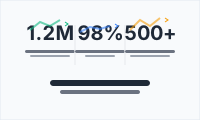
Make traction tangible with animated metric counters — users, revenue, uptime, GitHub stars.