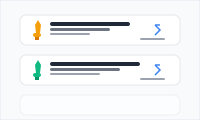
Resume Awards
Awards and certifications in elegant cards, with optional links to the certificates.
resumeawardscertifications
3 optionsMIT



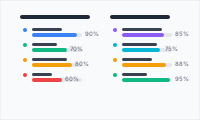
Technical and professional skills, grouped by category, with optional proficiency bars.
Add it to any Hugo page's sections list — no build step.
Quick start
Drop this into your page's front matter, under the sections list. Edit the values, and HugoBlox renders the block — no build step.
- block: resume-skills
  content:
    username: me
    title: Skills
    text: Tooling and languages I use most often.
  design:
    columns: 3
Overview
Demonstrate expertise with organized skill categories and visual progress
Present your technical and professional competencies with the Resume Skills block - a comprehensive component that organizes your skills into clear categories with optional visual progress indicators that immediately communicate your expertise levels.
Clear Organization: Skill categories help employers quickly find relevant expertise
Visual Proficiency: Progress bars provide immediate understanding of skill levels
Comprehensive Coverage: Support both technical and soft skills in one organized presentation
Professional Standards: Clean, modern layout that meets current resume expectations
Perfect for technical professionals, creative experts, and anyone who wants to present their skills in an organized, visually appealing format that helps employers quickly understand their capabilities and expertise levels.
Turn your skill set into a competitive advantage with professional presentation that clearly communicates your value proposition.
Reference
Every option the Resume Skills block accepts, generated from its schema.
Properties set under the block's content key.
| Property | Type | Default | Description |
|---|---|---|---|
username | string | me | Author username (references data/authors/{username}.yaml) |
title | string | — | Section title (supports Markdown) |
text | string | — | Section description (supports Markdown) |
Properties set under the block's design key — shared background, spacing, and color settings apply on top.
| Property | Type | Default | Description |
|---|---|---|---|
columns | integer | 2 | Number of columns used to render skill groups (1-5). Responsive: 2 cols applies at md, 3 at lg, 4 at xl, 5 at 2xl. |
Compose
Blocks that pair naturally with Resume Skills on the same page.
Frequently asked
Ready to build with the Resume Skills block?
More blocks like this
Awards and certifications in elegant cards, with optional links to the certificates.

A profile introduction — avatar, bio, and social links — for a personal site or online CV.

A horizontal biography layout with banner and avatar, plus integrated education and interests.

A chronological timeline of work experience and education for a resume or CV.