


Ownable CMS
Configure your Ownable site visually with the Studio extension for VS Code. No YAML editing required - just point, click, and customize.
Ownable CMS is a Visual Studio Code extension that lets you configure your entire site through an intuitive visual interface - no YAML editing required.
The Easy Way
Prefer visual configuration over editing YAML files? Ownable CMS is designed specifically for researchers and scientists who want to customize their site without memorizing configuration syntax.
Install Ownable CMS
-
Open VS Code
Launch Visual Studio Code (desktop or GitHub Codespaces)
-
Install the extension
- Open Extensions (Cmd/Ctrl + Shift + X)
- Search for "Ownable CMS"
- Click Install
-
Open your site folder
File → Open Folder → Select your Ownable site directory
-
The extension activates automatically
The extension detects your Ownable site and activates
Requirements:
- VS Code 1.93.0+
- Your site folder open in VS Code
Features
🎨 Visual Theme Editor
Pick colors, fonts, and spacing with dropdowns and color pickers - no hex codes or YAML syntax needed.
🚀 Quick Setup Wizard
Answer a few questions and Studio generates your complete configuration automatically.
✨ Live Preview
See changes instantly with real-time validation and helpful error messages.
🪄 Fix-It Bot (Plus)
Automatically format and lint Markdown + YAML across your entire site. Great for long-lived, messy repos and multi-author teams (early access).
💾 Auto-Save
Changes are automatically saved to your params.yaml - no manual file editing.
What You Can Configure
Ownable CMS provides visual editors for all site settings:
Identity & Branding
- Site name and organization
- Tagline and description
- Social media handles (for meta tags)
- Schema.org type
Theme & Appearance
- Color mode (light/dark/system)
- Theme pack selection (visual preview)
- Custom brand colors
- Typography (fonts and sizes)
- Layout (spacing and border radius)
Navigation
- Header style and alignment
- Search toggle
- Theme switcher
- Language selector
- Call-to-action button
Content Features
- Math rendering
- Table of contents
- Reading time estimates
- Citation styles
Integrations
- Analytics providers (GA4, Plausible, etc.)
- Comment systems (Giscus, Disqus)
- Search configuration
- Repository edit links
Advanced
- Security headers
- Privacy settings
- Debug tools
- Plus features
Quick Start Wizard
First time using Ownable CMS? The Quick Setup wizard guides you through essentials:
-
Tell us about your site
- Your name
- Site type (personal/lab/startup)
- Description
-
Choose your look
- Pick a theme pack (visual preview)
- Select fonts
- Set spacing preference
-
Enable features
- Search
- Comments
- Analytics
-
Done!
- Ownable CMS generates your complete configuration
- Start customizing from there
You can skip the wizard and configure everything manually in the visual editor panels.
Using Ownable CMS
Open the Configurator
After installation, access the CMS in several ways:
- Sidebar icon: Click the Ownable icon in the Activity Bar
- Command Palette: Cmd/Ctrl + Shift + P → "Ownable: Open Configurator"
- Status bar: Click "Ownable" in the bottom status bar
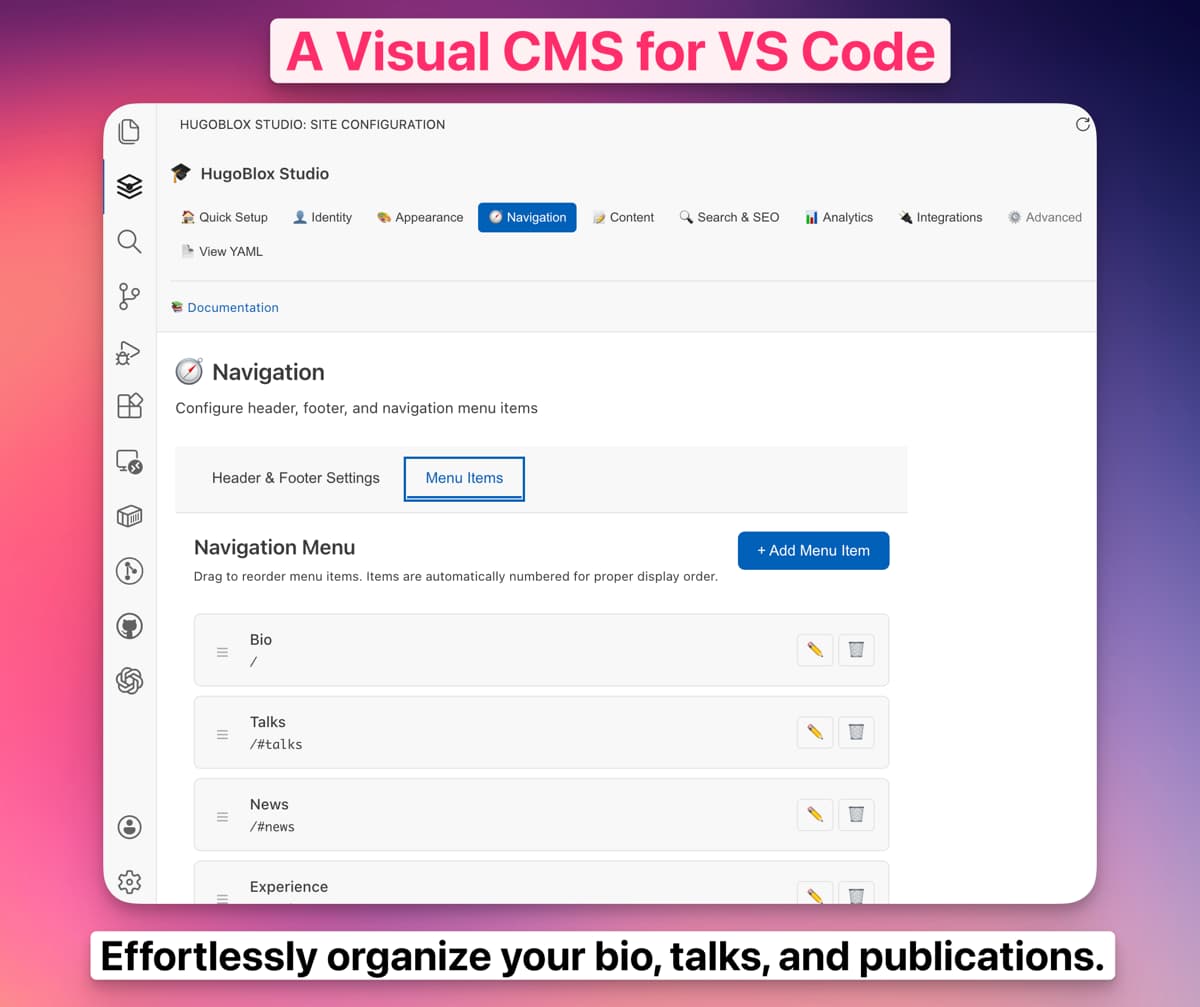
Navigate Sections
Ownable CMS organizes settings into logical sections:
🏠 Quick Setup        (Wizard)
👤 Identity           (Name, description)
🎨 Appearance         (Themes, colors)
🧭 Navigation         (Header, footer)
📝 Content            (Math, citations)
🔍 Search & SEO       (Search, meta tags)
📊 Analytics          (GA, Plausible)
🔌 Integrations       (Comments, repo)
⚙️  Advanced          (Security, debug)
📄 View YAML          (Raw editor)
Make Changes
- Click a section to open its settings
- Edit visually using form fields, dropdowns, toggles
- See inline help - hover any field for documentation
- Auto-saves - changes are saved automatically after 1 second
- Validates - errors shown inline with fix suggestions
All changes are written to config/_default/params.yaml. You can always switch to the YAML view to see or edit the raw configuration.
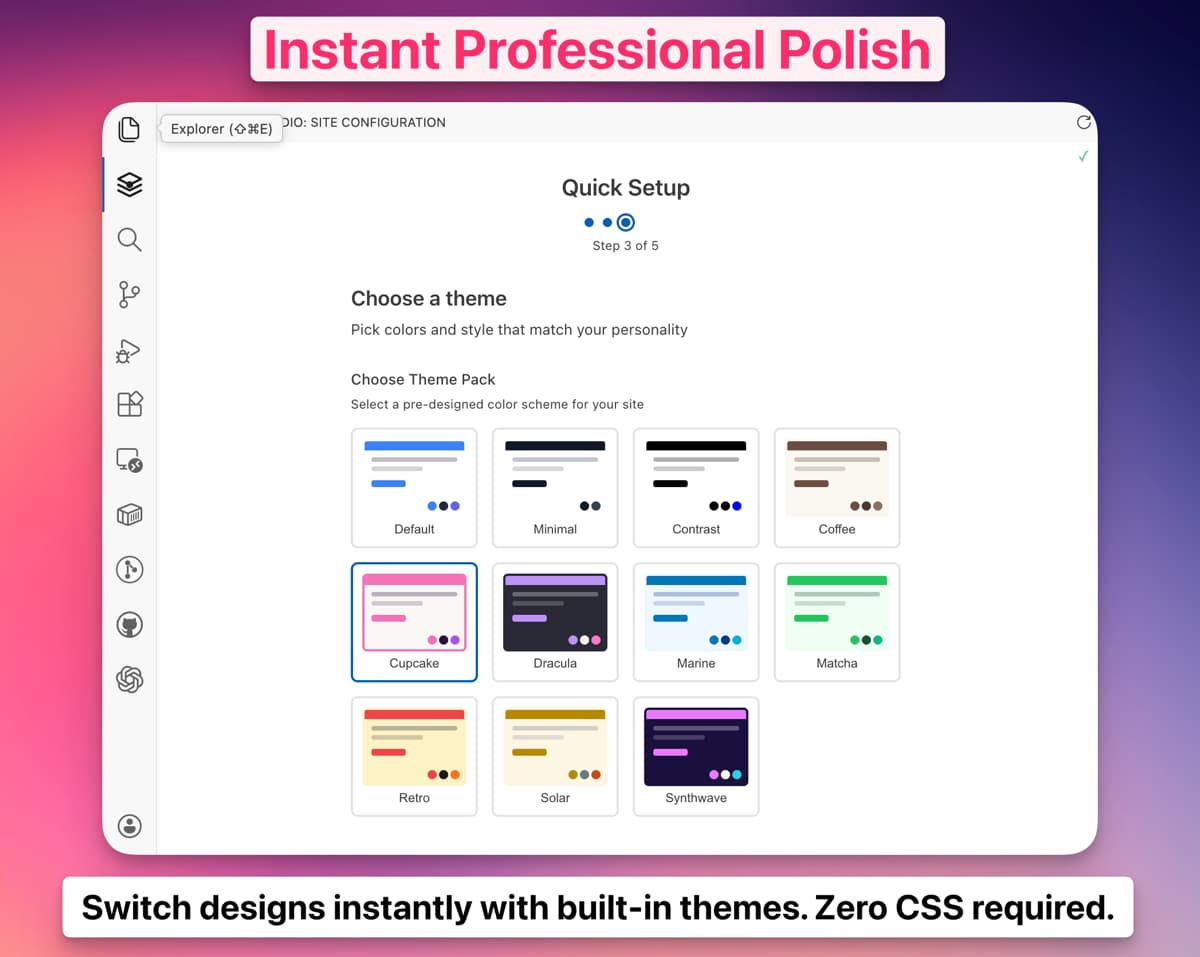
Theme Pack Selector
One of the best features - visually preview and select theme packs:
How It Works
- Open Appearance section
- Click Choose Theme Pack
- See visual previews of all themes
- Click a theme to apply instantly
- Mix & match light/dark modes
Available Themes
Professional:
- Default - Modern indigo/emerald
- Minimal - GitHub-inspired clean
- Solar - Easy-reading yellowish/teal
- Contrast - High accessibility
Creative:
- Coffee - Warm latte/Americano
- Matcha - Fresh organic greens
- Marine - Ocean blues and teals
- Retro - Vintage warm palette
Bold:
- Dracula - Popular dark theme
- Synthwave - Neon cyberpunk
- Cupcake - Playful pastels
Color Picker
Ownable CMS includes an intuitive color picker:
Pick from Tailwind Palettes
Click a color swatch to choose from Tailwind's professionally-designed palettes:
- Red, Orange, Amber, Yellow, Lime, Green, Emerald, Teal, Cyan
- Sky, Blue, Indigo, Violet, Purple, Fuchsia, Pink, Rose
- Slate, Gray, Zinc, Neutral, Stone
Or Enter Custom Hex
Type any hex code for your exact brand colors. Studio automatically generates the full color scale (50-950 shades).
Validation & Errors
Ownable CMS validates your configuration in real-time:
Inline Error Messages
- See errors immediately as you type
- Helpful suggestions for fixes
- Examples of valid values
Common Validations
- Twitter handles (without @)
- Google Analytics IDs (G-XXXXXXXXXX format)
- Email addresses
- URLs
- Required fields
GitHub Codespaces
Ownable CMS works perfectly in GitHub Codespaces for cloud-based editing:
Setup
- Create Codespace from your repository
- Wait for container to build
- Install Ownable CMS from Extensions
- Open configurator and start editing
- Commit and push from Codespaces
Benefits
- No local setup required
- Consistent environment
- Edit from anywhere
- Perfect for collaboration
- Free for 60 hours/month
FAQs
Does Ownable CMS work offline?
Yes! Ownable CMS is a local VS Code extension. You only need internet for initial installation.
Can I still edit YAML manually?
Absolutely! Ownable CMS and manual YAML editing work together. Click "View YAML" to switch to raw editing.
Does Ownable CMS preserve my YAML comments?
Yes! The extension preserves comments and formatting when saving changes.
What if Ownable CMS can't detect my site?
The extension looks for:
hugoblox.yamlin your project rootconfig/_default/params.yamlwithhugoblox:key- Requires Ownable v0.11.0+
If not detected, you may need to upgrade: npx hugoblox@latest upgrade
Is Studio free?
Yes! Ownable CMS is free for all users.
Next Steps
Configuration Reference
Fix-It Bot (Plus)
Theming Guide
Content Editing
Deploy Your Site
Support
Need help with Ownable CMS?
- Discord: Join the Ownable community
- GitHub: Report issues or request features
- Docs: Browse the complete reference
Ownable CMS is actively developed. New features are added regularly. Check the marketplace page for updates.
Was this page helpful?
Content Editors & CMS Options
Choose the best way to write content. Compare options like Decap CMS, Obsidian, Jupyter, RStudio, VS Code, and mobile editors for Ownable.
AI Assistant
Your personal expert for building Ownable sites, available directly in VS Code.
From the makers of
© 2026 Lore Labs.