


SEO Optimization & Social Sharing
Maximize your HugoBlox site's visibility. Configure SEO metadata, Open Graph tags, sitemaps, and optimize for search engines and LLMs.
HugoBlox includes built-in SEO capabilities designed to deliver rich search results and high performance.
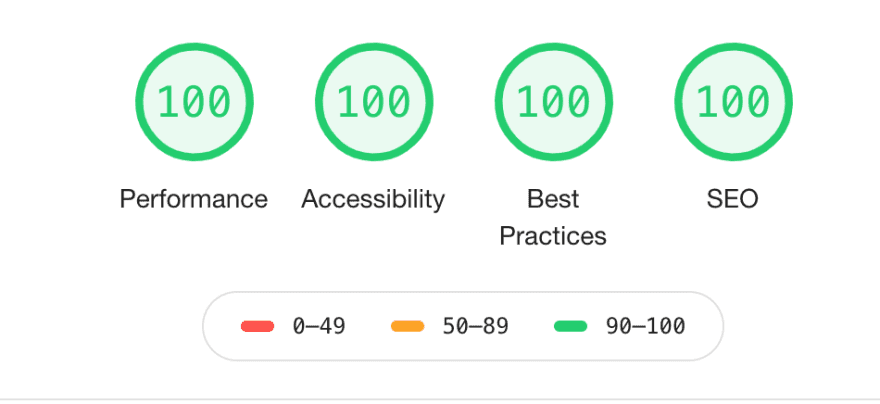
Built-in Optimizations
Your site automatically includes these industry-standard optimizations:
- ✅ 100% SEO score in Google Lighthouse
- ✅ JSON-LD structured data for rich search results
- ✅ Open Graph & Twitter Cards for social sharing
- ✅ Canonical URLs to prevent duplicate content issues
- ✅ Sitemap & Robots.txt generated automatically
- ✅ PWA Manifest for installable apps
- ✅ llm.txt to welcome LLMs and AI agents
- ✅ Responsive Icons generated automatically

Configuration
Customize how your site appears in search results and social media by editing config/_default/params.yaml.
Define what kind of entity your website represents to help search engines understand your content.
# config/_default/params.yaml
marketing:
  seo:
    site_type: Person
    org_name: 'My Organization'
    description: 'Researcher at Hugo Research Group.'
twitter: 'elonmusk'| Option | Description |
|---|---|
site_type | Choose Person for personal sites or an Organization subtype (e.g., Organization, Project, LocalBusiness). |
org_name | (Optional) Your organization or project name. Defaults to the site title. |
description | Used for search results and social previews. |
twitter | Your Twitter/X username (without @) for social card attribution. |
Verify site ownership with major search engines to access their webmaster tools.
# config/_default/params.yaml
marketing:
  verification:
    google: "your-code"
    bing: "your-code"
    baidu: "your-code"
    yandex: "your-code"
    pinterest: "your-code"
You can get these codes by registering your site with Google Search Console, Bing Webmaster Tools, etc.
Set a default image that appears when your site is shared on social media.
- Create an image named
sharing.pngorsharing.jpg. - Place it in the
assets/media/folder.
Search Engine Submission
Once your site is live, you should submit it to search engines to speed up indexing.
-
Get your Sitemap URL: Your sitemap is automatically generated at
/sitemap.xml.- Example:
https://your-site.com/sitemap.xml
- Example:
-
Submit to Search Consoles:
Was this page helpful?
Performance Optimization & Speed
Achieve 100% Lighthouse scores. Learn about built-in image optimization, asset bundling, and best practices for a lightning-fast HugoBlox site.
Analytics & Traffic Tracking
Track website traffic and visitor stats. Configure privacy-friendly tools like Pirsch and Fathom, or use Google Analytics and Tag Manager.
From the makers of
© 2026 Lore Labs.